
Confidentiality Notice: This case study has been adapted to protect confidential information. Company name, measurable outcomes, branding, product details, and selected visuals have been anonymized or recreated, while preserving the underlying UX challenges and design methodology.
Turning uncertainty into visible progress.
A personalized Activity Tracker that helps users see what is moving, understand what happens next, and know when they need to act.
Role
Support UX Designer
Domain
Native IOS
Focus
Design Execution + QA + Usability
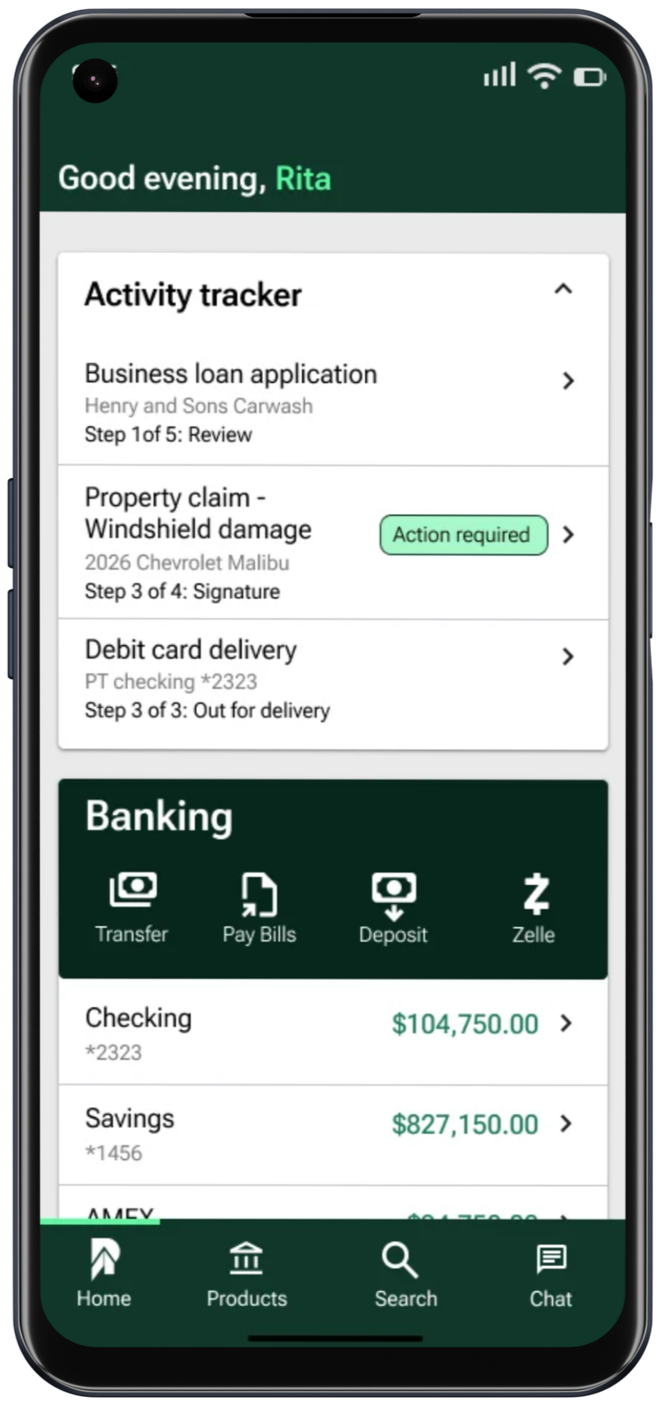
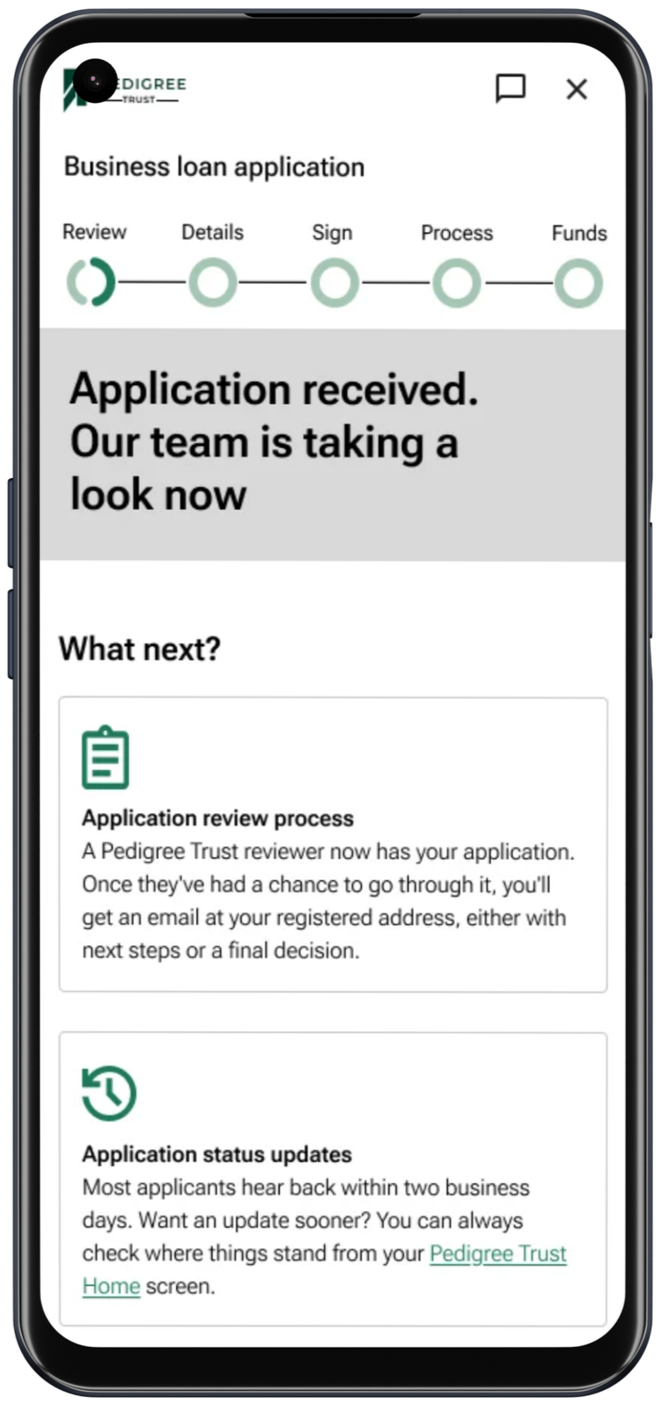
ACTIVITY TRACKER
One place.
Multiple processes, clear progress, and the right next step.
01 · THE OPPORTUNITYA process can be moving forward and still feel completely uncertain.
Users begin important financial processes in the app, but the work continues after submission.
Role
Support UX Designer
Domain
Native IOS
Focus
Design Execution + QA + Usability
Research & Discovery
To ground the design, I conducted a competitive audit and user research, identifying gaps in existing platforms.
I analyzed Depop, Poshmark, and Vinted (including insights) for their strengths, weaknesses, and opportunities. Here's a detailed breakdown:

User Persona

Design Process
Started with hand sketches, prioritizing clarity, ease, and confidence. Focused on curated browsing, condition labels, and verified profiles.


Wireframes
Created low-resolution layouts in Figma, testing for intuitiveness. Reduced clutter to make screens inviting.


Lo-fi Prototype
Built grayscale click-through prototypes in Figma. Shared with users for early feedback on flow, observed hesitations, and iterated on navigation.
Testing & Iteration
Conducted unmoderated usability testing on the lo-fi prototype via Maze with 10 participants (ages 22-35, 60% new to online thrifting).

With feedback in hand, I returned to Figma. I translated these insights into visual design updates, introducing a more accessible layout, cleaner typography, and emphasis on trust signals like verified badges and user reviews.

Screens
Home feed with curated “Looks”
Product detail with buyer confidence score
Profile with “Closet View” and rating history
Eco-impact tracker showing user’s contribution
Accessibility Considerations
Color contrast met WCAG AA standards
Large touch targets
Text resize support
Post Iteration UX Metrics

Bar Chart (Before vs After) shows side-by-side comparisons of task time, success rate, error rate, and satisfaction.

Line Chart (Progression) highlights how each metric improved across iterations.

The Percentage Change Chart quantifies the exact improvement (e.g., task time reduced by 30%, error rate down 80%).
Result & Impact





Making Sustainability Feel Seamless
Before Thryft, online thrifting felt like a chore. Shoppers were overwhelmed by cluttered platforms, unsure if they could trust what they were buying or who they were buying from. Fast fashion thrived on this frustration.
Then came Thryft, a simple, beautiful solution built with users in mind.

62%
🌍 Users said they would now thrift more often because the experience felt easier and more trustworthy.
45%
🛍️ completed a purchase in their first session, something almost unheard of in secondhand marketplaces.
30%
🌱 Users who had never thrifted online before made their first sustainable purchase and told their friends.
Learnings & Next Steps

Takeaways: Design thrives on empathy; user actions (e.g., hesitations) reveal more than words. Early testing reduced iterations by 30%; Sustainability UX involves removing barriers.

Growth Plan: Refine hi-fi with micro-interactions; Expand research to sellers; Build MVP with devs; Add wishlists and peer ratings for community depth.